Drive A Kukirin Latest Update: New Features and Codes Guide
Stay updated with the latest Drive A Kukirin patch on Roblox. Learn about new scooter features, realistic physics, and how to redeem the latest game codes.
Published: ( UPDATE) Drive A Kukirin Wiki Editorial Team
Table of Contents
Exploring the Latest Drive A Kukirin Update
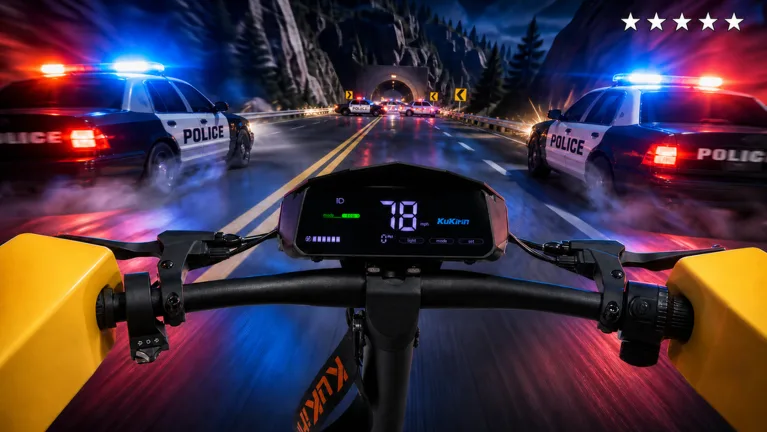
The most recent update for Drive A Kukirin on Roblox has brought a fresh wave of content, specifically focusing on a Halloween-themed atmosphere that enhances the game's immersive open-world exploration. As a realistic electric scooter simulator, this title has carved out a niche by offering physics-based gameplay that distinguishes it from standard racing games. Players are encouraged to visit the official game page to experience the latest features implemented by Gogos Games Studios.
In this update, the developers have focused on refining the handling of various e-scooter models. Whether you are a fan of the G2 or the G4 Max, the physics engine provides a tactile sense of weight and speed that is essential for mastering the game’s signature skill-based wheelies. The transition to a more polished riding experience ensures that both veterans and newcomers can enjoy the nuances of the game's simulated environment.
Key Features of the Simulation
Drive A Kukirin stands out due to its dedication to realistic mechanics. Unlike arcade-style vehicle games, this simulator prioritizes the authentic feel of electric scooters.
Realistic Scooter Physics
Experience authentic handling, acceleration, and braking mechanics modeled after real-world e-scooters like KuKirin, Dualtron, and Kaabo.
Skill-Based Wheelies
Master the art of the wheelie. This mechanic requires precise timing and balance, rewarding players who practice within the open-world map.
First-Person Riding
Immerse yourself in the action with a detailed first-person perspective, allowing for better visibility during high-speed maneuvers and exploration.
How to Redeem Codes in Drive A Kukirin
A common question among the player base involves how to access rewards from the latest update. According to community reports and recent video walkthroughs, the redemption process is straightforward but requires players to navigate the user interface correctly to avoid errors.
Launch Drive A Kukirin via the official Roblox platform.
Locate the Settings button on the right side of your screen.
Click the button to open the settings menu.
Look for the text box labeled for code entry at the top of the interface.
Input your active codes carefully, ensuring there are no extra spaces or typos.
Press the submit or enter key to claim your rewards.
Tip
Always check for the latest codes from official developer announcements or verified community channels. Avoid skipping sections of instructional content to ensure you don't miss out on time-sensitive reward codes that may expire shortly after an update cycle.
Tips for Mastering Your Scooter
To truly excel in Drive A Kukirin, you must understand the balance between speed and control. Many players new to the game often focus solely on top speed, but the game's physics reward those who learn to navigate corners and perform wheelies effectively.
Practice in Open Areas: Use the open-world map to find flat, unobstructed areas where you can get a feel for the acceleration curve of your specific scooter model.
Utilize First-Person Mode: While third-person is great for visibility, switching to first-person can help you judge distances and balance points for wheelies more accurately.
Upgrade Strategically: If the game allows for shop purchases, prioritize models that fit your riding style—whether you prefer high-speed stability or maneuverability.
Frequently Asked Questions
Where can I find legitimate codes for the game?
The safest way to find active codes is through official social media channels associated with Gogos Games Studios or by following the game's official Roblox page updates.
Why isn't my code working?
Codes are often case-sensitive and have expiration dates. If a code is not working, it has likely expired or was entered incorrectly. Always ensure you are using the most current codes released for the latest patch.
Is there a way to meet the developer?
The game page occasionally highlights opportunities to join servers where the owner might be present. Keep an eye on the game's description for any special events or announcements regarding developer-hosted sessions.
By keeping these tips in mind and staying updated with the latest patches, you can maximize your experience in Drive A Kukirin. Remember that the core of the game lies in its realistic simulation, so take your time to master the controls rather than rushing through the content.