
Open-World Electric Scooter Simulator
( UPDATE) Drive A Kukirin Wiki
Ride electric scooters across an open Roblox world where balance, grip, and throttle control matter. Claim your starter scooter, earn Cash through riding and quests, and master wheelies before upgrading to faster models.
- Launched Aug 5, 2026
- Updated Oct 11, 2026
- 82M+ Visits
- 100K+ Favorites
- 89% Positive Ratings
Popular Pages
Trending Now
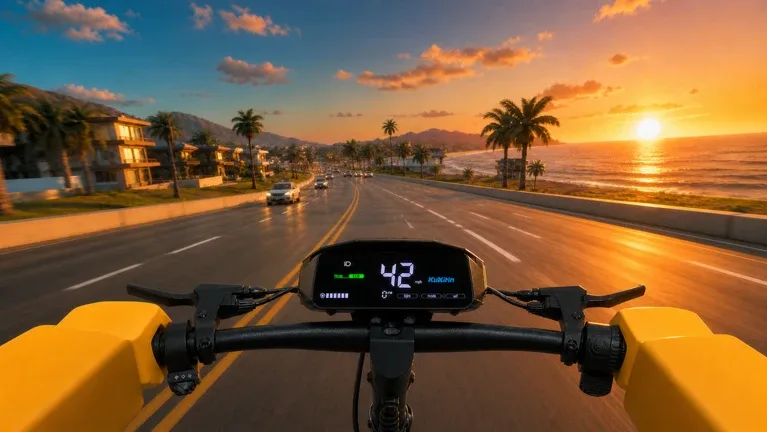
Full Guide
Learn how to master your e-scooter in Drive A Kukirin on Roblox. Discover effective tips for earning cash, performing stunts, and outrunning police in this comprehensive guide.
Read more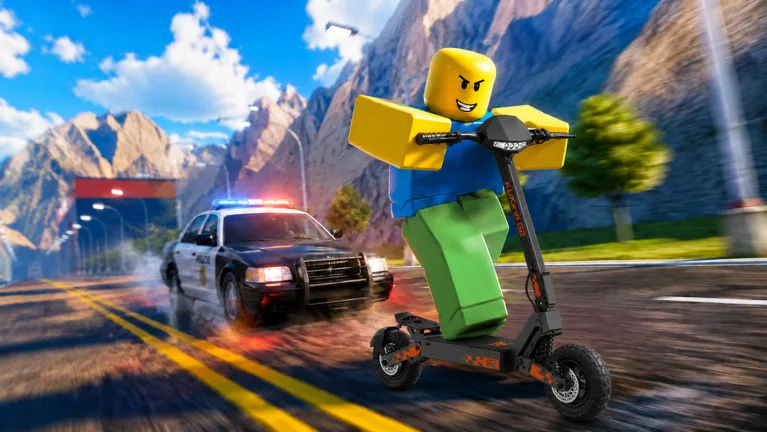
Best Scooter
Master the electric scooter simulator Drive A Kukirin with this beginner guide. Learn how to earn cash, customize your ride, and survive intense police chases.
Read more
Hold a Wheelie
Master the roads in Drive A Kukirin with these expert tips and tricks. Learn how to earn cash fast, upgrade your scooter, and dominate the open world.
Read more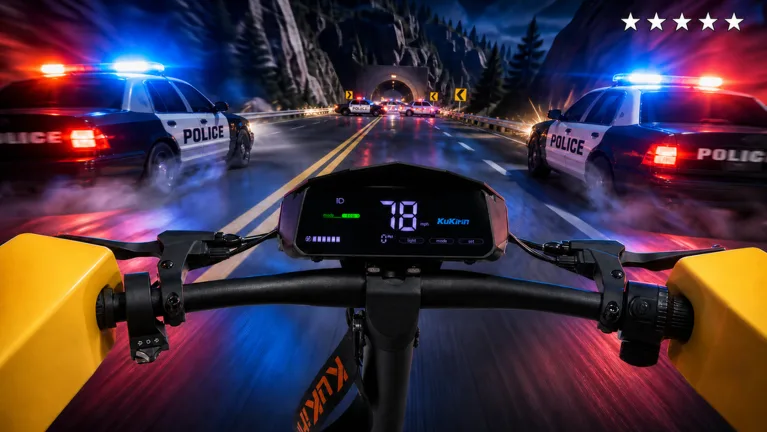
Police Chases
Learn the most effective ways to earn cash in Drive A Kukirin on Roblox. Discover how to use codes, complete daily quests, and upgrade your scooter for profit.
Read moreCash Farming
Master the art of farming cash in Drive A Kukirin with this complete guide. Learn how to optimize your earnings, complete quests, and upgrade your scooter for speed.
Read moreControls
Learn the most effective ways to earn cash in Drive A Kukirin to afford the 100k house and master your electric scooter skills in this Roblox simulator.
Read more
What is Drive A Kukirin?
Drive A Kukirin is a Roblox electric scooter simulation experience created by Gogos Games Studios. Players ride scooters inspired by real-world electric scooter designs, explore open roads, and practice wheelies using a physics-focused handling system. First-person riding and wearable helmets are among the features described on its Roblox page.
Progression involves starting with a free scooter, earning Cash while riding, completing quests, and unlocking additional models. Players can also explore customization options and police pursuit activities. The experience remains in early beta, so features, prices, controls, and other gameplay details may change with updates.
Browse guides- Developer
- Gogos Games Studios
- Platform
- Roblox
- Genre
- Vehicle Simulation
- Visits
- 82M+
- Favorites
- 100K+
- Positive Rating
- 89%
- Server Capacity
- 10 Players
- Platforms
- Roblox
- Genres
- Vehicle Simulation
- Players
- Max. 10
- Modes
- Multiplayer
- Release date
- 2026-08-05
- Developer
- Gogos Games Studios
Latest Updates
Start Here
- 1
Beginner Guide
Learn how to join your first session, claim the free Kukirin G2 at the Scooter Store, spawn it from the Garage, and start exploring the roads.
- 2
Earn Cash & Complete Quests
Understand riding income, Daily and Weekly Quests, and how to claim completed rewards. Build a practical earning routine before buying your next scooter.
- 3
Scooter List & Upgrades
Compare the available Kukirin models, their reported prices and performance, and the upgrade path from the starter G2 to faster scooters. Check current in-game values before spending Cash.
- 4
Wheelies & Police Chases
Practice controlled wheelies by finding the right balance point and making small corrections. Learn how pursuit difficulty affects police encounters and safe escape routes.
( UPDATE) Drive A Kukirin Drive A Kukirin Wiki Hub
Eight researched topics covering codes, scooters, controls, stunts, and updates.
Explore the wiki
Guides
Beginner walkthroughs, Cash farming methods, property goals, and progression advice.
Stunts
Wheelie technique, burnout, leaning, and how stunt practice feeds quest progress.
Controls
Reported keyboard bindings for riding, wheelies, camera modes, GPS, and scooter modes.
Scooters
Scooter models, top speeds, prices, upgrade paths, and customization options.
Police
How to start, survive, and escape police pursuits at each difficulty level.
Updates
Beta release notes, map changes, new scooters, and seasonal event coverage.
Community
Discord servers, player count tracking, and community information for Drive A Kukirin.
Codes
Reported Drive A Kukirin redemption codes and how to redeem them for free Cash.
Drive A Kukirin Codes
Find the latest Drive A Kukirin redeem codes for free Cash and scooter upgrades. These five codes were reported active on October 11, 2026, but availability can change after updates, so always confirm redemption in the game.
RESTART
ActiveRedeem for 2,000 Cash. Reported as the newest code on October 11, 2026.
SPOOKY
ActiveRedeem for 2,000 Cash. Released around the Halloween update.
BUGFIX
ActiveRedeem for 2,000 Cash.
UPDATE
ActiveRedeem for 1,000 Cash.
PATCH
ActiveRedeem for 1,000 Cash.
Drive A Kukirin Beginner Guide
Learn how to start playing Drive A Kukirin, claim your free starter scooter, and take your first ride. Follow this beginner-friendly walkthrough to understand the Dealership, Garage, riding controls, and basic progression before attempting advanced tricks.
Join Drive A Kukirin by Gogos Games Studios on Roblox and locate the Dealership near the starting area.
Join Drive A Kukirin by Gogos Games Studios on Roblox and locate the Dealership near the starting area.
Open the Scooter Store and claim the free Kukirin G2 starter scooter.
Open the Scooter Store and claim the free Kukirin G2 starter scooter. The store should mark it as owned after claiming.
Open the Garage, select your newly claimed Kukirin G2, and choose Spawn to bring the scooter into the world.
Open the Garage, select your newly claimed Kukirin G2, and choose Spawn to bring the scooter into the world.
Approach the spawned scooter and use the displayed Ride interaction, reported as E on PC, to mount it.
Approach the spawned scooter and use the displayed Ride interaction, reported as E on PC, to mount it.
Practice accelerating, steering, and braking on a straight road, then open the Quests menu to check your Daily and Weekly objectives.
Practice accelerating, steering, and braking on a straight road, then open the Quests menu to check your Daily and Weekly objectives.
Drive A Kukirin Scooter Tier List
Compare Drive A Kukirin scooters by their documented top speeds, purchase costs, and progression value. This is an editorial speed-based ranking using a September 24, 2026 beta store snapshot, not an official tier list; the October update's additional scooters, including the referenced G4 Max model, require fresh in-game verification before ranking.
S
Kukirin G4 — listed at 80 km/h and priced at 8,000 Cash or 99 Robux in the September snapshot. It was the fastest scooter in that documented five-model lineup.
A
Kukirin G3 Pro — listed at 70 km/h with a 3,000 W motor and a 5,000 Cash price. A strong performance upgrade compared with the G2 series in the same snapshot.
B
Kukirin G2 Master and G2 Ultra — the Master was listed at 60 km/h for 4,750 Cash, while the Ultra was listed at 45 km/h for 3,500 Cash. Both were intermediate upgrades.
C
Kukirin G2 — the free starter scooter, listed at 35 km/h in the September snapshot. Suitable for learning the basic mechanics before purchasing another model.
Drive A Kukirin Money and Quests
Discover how to earn Cash through regular riding, Daily quests, Weekly quests, and optional police pursuits. The examples below come from a documented September 2026 beta build, and quest requirements or payouts should be checked against the current in-game Quests panel.
Passive Cash
Earn Cash automatically while riding your scooter. The documented system awards repeated Cash increments during movement, with faster riding improving the earning rate.
ROAD WARM-UP
Daily quest: ride 2 km on any scooter to receive 500 Cash in the documented September build.
HIGHWAY PACE
Daily quest: reach 45 km/h on a scooter to receive 400 Cash in the documented September build.
BALANCE PRACTICE
Daily quest: hold a wheelie for 30 seconds to receive 750 Cash in the documented September build.
STREET LEGEND
Weekly quest: accumulate three minutes of wheelie time to receive 3,000 Cash in the documented September build.
LONG HAUL
Weekly quest: ride a total of 25 km to receive 3,500 Cash in the documented September build.
CLEAN MACHINE
Weekly quest: land 20 clean wheelies to receive 3,500 Cash in the documented September build.
Police Chases
Escaping police pursuits can provide additional Cash, although the reported rewards are less predictable than completing quests.
Drive A Kukirin Controls
Learn the reported PC keyboard controls for driving, interacting, performing wheelies, changing camera views, and using riding tricks. These bindings were documented during the September beta and may change, while mobile and controller inputs should be verified separately in the live game.
WASD
Use W, A, S, and D or the arrow keys for scooter acceleration, steering, and braking.
E
Interact with nearby objects and use the Ride prompt to mount a spawned scooter.
Shift
Initiate and hold a wheelie while riding. Balance adjustments are needed to keep the front wheel raised.
C
Cycle between available camera modes, including first-person and third-person perspectives.
1 / 2
Use 1 for one-handed riding and 2 for no-handed riding. These are visual riding tricks rather than performance upgrades.
L
Toggle scooter lights on or off.
Space
Use the Spacebar for the reported jump or vehicle-exit action, depending on the current riding state.
I / O
Adjust the camera zoom using the reported I and O keyboard shortcuts.
Drive A Kukirin Wheelie Guide
Master one of Drive A Kukirin's signature mechanics with a practical guide to starting, balancing, and landing wheelies. Learn the reported PC technique, common mistakes, and how wheelie practice contributes to quest progression.
Spawn and mount a scooter, then find a long, relatively flat road with enough space to practice without frequent turns.
Spawn and mount a scooter, then find a long, relatively flat road with enough space to practice without frequent turns.
Accelerate to a manageable riding speed before attempting the trick.
Accelerate to a manageable riding speed before attempting the trick. Avoid sharp steering inputs while preparing for a wheelie.
On PC, hold Shift to raise the front wheel using the reported September beta controls.
On PC, hold Shift to raise the front wheel using the reported September beta controls. Check the current game's control prompts if the input has changed.
Make small W and S adjustments to control the scooter's balance.
Make small W and S adjustments to control the scooter's balance. If the rear tire begins producing smoke or the scooter leans excessively backward, correct the angle rather than continuing to accelerate.
Practice short controlled wheelies before attempting longer holds.
Practice short controlled wheelies before attempting longer holds. The documented BALANCE PRACTICE, STREET LEGEND, and CLEAN MACHINE quests reward wheelie duration or successful landings.
Drive A Kukirin Halloween Update
Explore the October 2026 Halloween update announced for Drive A Kukirin, including its seasonal event, shop, new scooters, and trick additions. The Roblox event is listed for October 10–16 in US Eastern Time; the items below reflect advertised update features rather than independently verified unlock conditions or rewards.
Pumpkin Night
EventA Pumpkin Night Event was advertised as part of the Halloween update. Specific gameplay objectives and rewards require confirmation in the live event.
Halloween Shop
A seasonal Halloween Shop was announced. Item prices, currencies, and availability should be checked directly inside the current game.
3 New Scooters
The Halloween event preview advertised three additional scooters. The current official game description also credits a G4 Max model, but does not provide a complete new-vehicle stat table.
New Trick
One new riding trick was advertised for the update. Its exact activation method and mechanics require verification in the current build.
Better Mobile
Mobile gameplay improvements and bug fixes were included in the announced update features. Touch controls should be tested against the live version rather than older PC guides.
Drive A Kukirin Customization Guide
Discover how to personalize your scooter using the Customization location, visual accessories, and reported performance-related parts. Learn the difference between cosmetic changes and handling upgrades before spending Cash or Robux, with current prices subject to beta updates.
Colors & Stickers
Change the visual appearance of your scooter through the reported Customization system. Paint and sticker choices are separate from scooter speed upgrades.
Grips & Handlebars
Grips and handlebar-related parts appear among the documented customization options. Their current prices and any handling effects should be checked in the game.
Suspension & Brakes
Suspension, brake, and disc components were documented as available parts for adjusting scooter handling and stability.
Weight Reduction
A weight-reduction option was documented among the scooter upgrades, intended to improve acceleration and responsiveness.
Rainbow Accessories
Rainbow Wheel and Rainbow Smoke appeared in the documented Robux shop as optional cosmetic effects rather than necessary progression upgrades.
Wearable Helmet
The official Roblox experience lists wearable helmets as a supported feature. A documented HELMET interface option lets riders change helmet visibility without increasing vehicle performance.
( UPDATE) Drive A Kukirin FAQ
Practical answers for Roblox scooter riders learning controls, earning Cash, upgrading scooters, escaping police, and redeeming codes.
What is Drive A Kukirin on Roblox?
Drive A Kukirin is a realistic electric scooter simulation experience developed by Gogos Games Studios. It focuses on riding across an open world, learning scooter physics, holding wheelies, and exploring in first person.
How do I get my first scooter in Drive A Kukirin?
Go to the Scooter Store near the starting area and claim the free Kukirin G2. Then open your Garage, select the owned G2, and spawn it to begin riding. The starter scooter must be claimed before it appears in the Garage.
How can I earn Cash fast in Drive A Kukirin?
Keep riding to earn passive Cash and complete the objectives shown under Daily and Weekly Quests. Check distance, speed, and wheelie tasks, and manually claim their rewards when completed. Quest payouts and scooter earning rates can change between beta builds.
How do I perform wheelies in Drive A Kukirin?
On the documented PC keyboard controls, hold Shift while riding to raise the front wheel, then make small balance corrections using W and S. Practice on a clear, straight road and avoid overcorrecting. The controls are based on an early beta build, so follow current on-screen prompts if they differ.
Can I customize and upgrade scooters in Drive A Kukirin?
Yes. The documented Customization area offers options such as colors, stickers, grips, handlebars, suspension, and braking components. The Scooter Store also lets players progress to other scooter models using Cash. Available parts, prices, and performance effects should be checked in the current build.
How do police chases work in Drive A Kukirin?
Gameplay guides document police pursuit settings including No Cops, Easy, Medium, and Hard. Higher difficulty changes how aggressively police vehicles pursue riders, while escaping requires creating distance from the pursuit. Settings and escape requirements may change during beta.
Which Drive A Kukirin codes were reported active in October 2026?
As of October 10, 2026, gaming publications reported SPOOKY for 2,000 Cash, BUGFIX for 2,000 Cash, UPDATE for 1,000 Cash, and PATCH for 1,000 Cash. These are dated third-party reports rather than live redemption tests, and any code may expire without notice.
How do I redeem Drive A Kukirin codes?
Launch Drive A Kukirin on Roblox, open Settings using the gear icon near the upper-right corner, find the Codes field, enter a reported code exactly as written, and select Redeem. If a code is rejected, check its spelling and current validity.
Can I play Drive A Kukirin on mobile or console?
The developer describes its Roblox games as accessible on PC, mobile, and console through Roblox. This does not mean Drive A Kukirin has a separately published Steam, PlayStation Store, or Xbox Store version. Availability and controls depend on the supported Roblox client and current game settings.
Is Drive A Kukirin still in beta?
Yes. The official Roblox description identifies Drive A Kukirin as an early beta experience and warns that some features may be unfinished or contain bugs. Its content and mechanics are subject to ongoing development, so guides should be checked against the latest update.
Ready to Master Drive A Kukirin?
From your first free scooter to long wheelies and high-speed rides, find the guidance you need to improve your control, earn Cash, customize your ride, and explore the latest updates.