How to Remove Scooter Screen in Drive A Kukirin: Roblox Guide
Learn whether you can remove the screen in the Roblox game Drive A Kukirin and distinguish it from real-world Kukirin e-scooter modifications.
Published: ( UPDATE) Drive A Kukirin Wiki Editorial Team
Table of Contents
Understanding the "Screen Removal" Confusion
If you are playing Drive A Kukirin on Roblox and searching for a way to remove your scooter’s screen, it is important to clarify the distinction between the game and real-world hardware. Many search results and video tutorials appearing online under this keyword actually refer to DIY modifications for physical Kukirin G2 or G4 electric scooters, where owners remove the physical display console to install custom controllers or aesthetic mods.
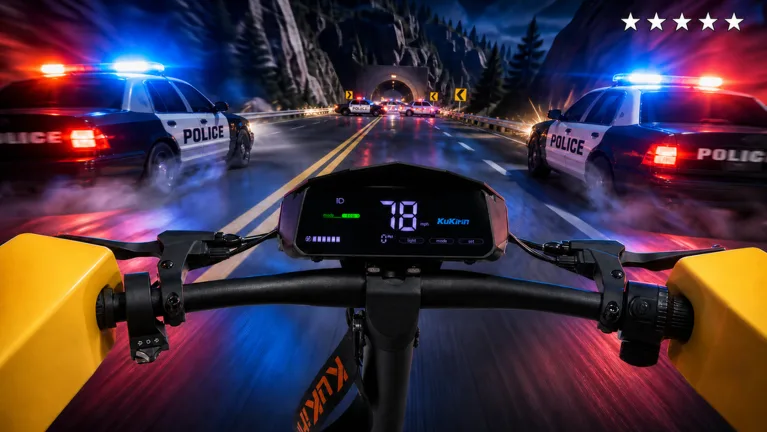
Within the Roblox experience developed by Gogos Games Studios, the screen is a static part of the game’s user interface. There is no button, setting, or script that allows you to detach or hide the on-screen display. If you encounter videos claiming to show a "no screen" mod for the game, these are often clickbait or related to third-party scripts that may violate Roblox’s Terms of Service.
In-Game Customization vs. Real-World Mods
While you cannot remove the screen in Drive A Kukirin, the game does offer legitimate ways to personalize your ride. Understanding these features will help you get the most out of your experience without risking your account by trying to apply unauthorized mods.
In-Game Customization
Visit the customization shop in-game to change the accents and colors of your scooter. This is the intended way to make your vehicle stand out.
Real-World Modifications
Tutorials involving VESC controllers, wiring, or physical disassembly are for real-world e-scooters. Applying these concepts to a Roblox game is not possible and may lead to account suspension if you attempt to use external injectors.
How to Progress in Drive A Kukirin
Since removing the screen is not a feature, focus your efforts on the core gameplay loops to upgrade your scooter and earn currency. Based on community experiences, here are the most effective ways to level up your game:
Claim Your Starter: Always start by claiming your free bike/scooter from the initial spawn point.
Drive for Cash: Simply riding your scooter around the map generates cash. The faster your scooter, the more money you earn per second.
Complete Quests: Check your quest log regularly. Daily and weekly quests provide significant cash boosts, sometimes netting you nearly $1,000 in a single claim.
Master the Wheelie: Hold the Shift key to perform wheelies. Maintaining these stunts is a requirement for certain quests and is a great way to show off your skills.
Upgrade Your Ride: Save your cash for higher-tier scooters. Faster models not only look better but also increase your passive income generation while driving.
Tips for a Better Experience
To maximize your efficiency in Drive A Kukirin, keep these tips in mind. The community often shares these strategies to help new players transition from "noob" to "pro" without needing to alter game files.
Tip
Use First-Person Mode: Press 'C' on your keyboard to toggle first-person view. This offers a more immersive driving experience and makes handling your scooter easier during high-speed highway cruises.
Avoid Fake Commands: You may see players chatting in the game lobby about commands like /set speed 100. These are usually just pranks; they do not work and are intended to troll new players.
Focus on Highway Driving: The map features a wide, open highway. This is the best location to maintain a constant speed and earn cash quickly without crashing into obstacles.
Police Chases: Engaging in police chases can be a fun way to earn extra money, but be careful—getting arrested will temporarily halt your progress.
FAQ: Common Questions About Drive A Kukirin
Can I really remove the screen to make my scooter faster?
No. In the game, removing the screen is not a mechanic. Speed is determined by the specific scooter model you purchase using in-game currency.
Are there any "no screen" mods for the game?
No. Any video claiming to provide a "no screen" mod for the Roblox game is likely referring to real-world scooter hardware or using unauthorized third-party software. Avoid these to keep your Roblox account secure.
Where can I find the official game?
Always use the official link provided by the creator, Gogos Games Studios, to ensure you are playing the legitimate version of the game.