Drive A Kukirin Controls: A Complete Guide to Mastering Your E-Scooter
Master the controls in Drive A Kukirin on Roblox. Learn essential movement keys, trick inputs, and tips to earn cash quickly in this e-scooter simulator.
Published: ( UPDATE) Drive A Kukirin Wiki Editorial Team
Table of Contents
Getting Started with Controls in Drive A Kukirin
To successfully navigate the open world of Drive A Kukirin, understanding the control scheme is your first priority. As a physics-based electric scooter simulator developed by Gogos Games Studios, the game relies on precise handling to manage momentum, especially when taking corners or performing stunts. Whether you are a beginner or looking to optimize your gameplay, here are the essential PC controls:
Movement: Use W, A, S, D keys or the Arrow keys to steer your scooter.
Jump/Dismount: Press the Spacebar to jump or exit your vehicle.
Interact: Press the E key to engage with stores or UI elements.
Camera View: Toggle between first-person and third-person perspectives by pressing C.
Lighting: Press L to turn your scooter's lights on or off.
Camera Zoom: Use I to zoom in and O to zoom out.
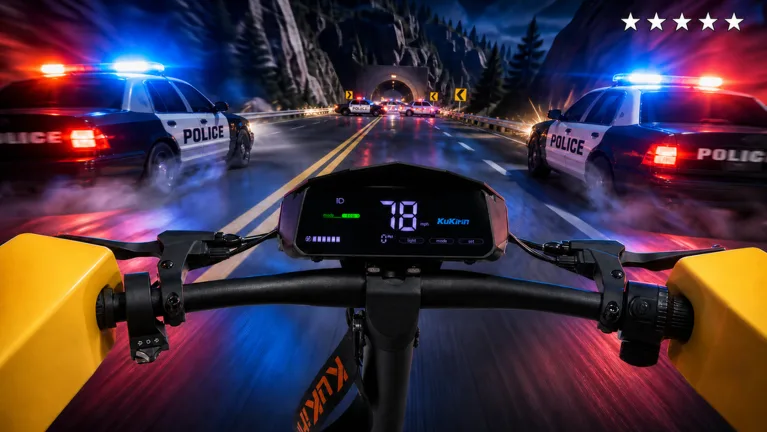
Mastering these inputs allows for smoother navigation through the game's expansive map. Community players often note that using the first-person view (C key) provides a more immersive sense of speed, which is helpful when you are trying to maintain control during high-speed police chases.
Mastering Tricks and Stunts
Performing stunts is more than just a stylistic choice; it adds a layer of depth to your gameplay experience. According to community reports, you can trigger specific animations while riding to show off your skills.
Tip
One-Handed Trick: Press the '1' key while in motion to perform a one-handed stunt.
No-Handed Trick: Press the '2' key for a more daring no-handed display.
Wheelies: To hold a wheelie, use the Shift key on your keyboard. This is a common requirement for specific weekly quests and requires practice to maintain balance.
Holding a wheelie for an extended period is a great way to complete challenging quests, though it requires precise control to avoid falling. If you find yourself struggling to stay balanced, try practicing on the flat, open stretches of the highway where you have plenty of room to recover if your stunt goes wrong.
Maximizing Your Cash Earnings
The primary loop of the game revolves around earning Cash to purchase better vehicles and cosmetic upgrades. While simply driving around the map generates a steady stream of passive income, it is not the most efficient method for rapid progression.
Claim Your Starter: Spawn in at the Dealership and collect your free initial scooter.
Complete Quests: Regularly check and finish the daily and weekly quests. These provide significant cash bonuses compared to passive driving.
Upgrade Regularly: Visit the Customization store to improve your scooter's speed. Faster vehicles result in a higher rate of cash accumulation per second.
Engage in Police Chases: Click the police icon at the top of your screen to trigger a chase. Escaping from higher-difficulty chases provides a much higher payout than casual driving.
Be aware that buying houses or luxury aesthetics early in the game may slow down your progress. Prioritize spending your hard-earned Cash on mechanical upgrades—such as better tires, suspension, or motor power—to increase your top speed and, consequently, your income potential.
Navigating Police Chases
Police chases are a core feature for thrill-seekers in Drive A Kukirin. When you decide to summon the police, you can select from different difficulty levels. Each level changes the intensity of the pursuit:
Easy Difficulty
Police vehicles are slower; you can lose them by maintaining a distance of 180 meters.
Medium Difficulty
Police use backups and roadblocks. Create a 300-meter gap to lose them.
Hard Difficulty
High-speed police vehicles and aerial units (helicopters) will track you. You must create a 350-meter gap to successfully escape.
Remember that the difficulty level chosen significantly impacts your rewards. Successfully evading the authorities at higher difficulties is one of the most effective ways to farm large sums of Cash quickly. Always keep an eye on your mini-map to anticipate roadblocks and plot your escape route through the city's winding roads.
FAQ: Common Player Questions
Can I use a controller for Drive A Kukirin?
While the PC controls are primarily keyboard-based, many Roblox experiences offer basic controller support. However, for precise stunt maneuvers like wheelies, the keyboard remains the most reliable input method.
How do I get a better scooter?
You can purchase improved models at the Dealership using the Cash you earn from driving and completing quests. Some premium models are available via the in-game shop for Robux.
Do my customizations improve performance?
Yes, visiting the customization shop allows you to upgrade parts like brakes, bars, and suspension, which directly impact the handling and stability of your scooter, making it easier to drive at high speeds.
Is it worth it to buy a house?
Based on community feedback, it is generally recommended to focus your Cash on upgrading your scooter first to maximize your income potential before investing in decorative items like houses.