How to Drive a Kukirin and Customize Your Scooter in Roblox
Master your ride in Drive A Kukirin on Roblox. Learn how to customize your scooter, earn cash efficiently, and upgrade your gear with our expert guide.
Published: ( UPDATE) Drive A Kukirin Wiki Editorial Team
Table of Contents
Customizing Your Scooter in Drive A Kukirin
In Drive A Kukirin on Roblox, personalization is key to standing out while you cruise the map. To customize your scooter, you need to locate the customization shop within the game world. Once you arrive at this location, you can modify various aesthetic elements, such as the color accents of your ride.
Many players find that selecting a vibrant color helps them identify their scooter quickly during high-speed sessions. While customization is primarily cosmetic, it is a great way to express your style as you progress from a beginner rider to a pro. Remember that customization options may expand as the game receives updates, so it is worth checking the shop periodically to see if new patterns or color palettes have been added.
Efficient Cash Earning Strategies
To afford the best upgrades, you need a steady stream of income. According to community reports, the most reliable way to earn cash is simply by staying on your scooter and driving. The game rewards you for every mile you cover, making the open highway an ideal spot for consistent, low-effort grinding.
Tip
Prioritize Quests: Completing daily and weekly quests is significantly faster than relying on passive driving income. Check your quest log frequently to claim rewards like $400 or $500 bonuses.
Master the Wheelie: Holding a wheelie is not just for show; it is often required for specific quest objectives. Practice maintaining your balance using the 'Shift' key to maximize your payout potential.
Upgrading Your Scooter for Better Performance
Not all scooters are created equal. As you accumulate wealth, your primary goal should be upgrading to a model with higher top speeds and better handling. While it might be tempting to purchase houses, many experienced players suggest that these assets may not offer the same value as a faster vehicle.
Start with the G2: Begin your journey by claiming the free starter scooter from your garage.
Monitor Stats: When visiting the shop, compare the top speed, acceleration, and handling of new models.
Avoid Impulsive Purchases: Save your cash for higher-tier scooters like the G3 Pro or G4, which offer significantly better performance for your investment.
Test Routes: Use a consistent route to test how a new scooter handles corners and speed, ensuring the upgrade is worth the price tag.
Mastering Controls and Gameplay Mechanics
Understanding your scooter's controls is essential for both safety and speed. You can toggle your camera view by pressing 'C' on your keyboard, which allows you to switch between third-person and first-person perspectives—the latter provides a much more immersive experience when navigating traffic.
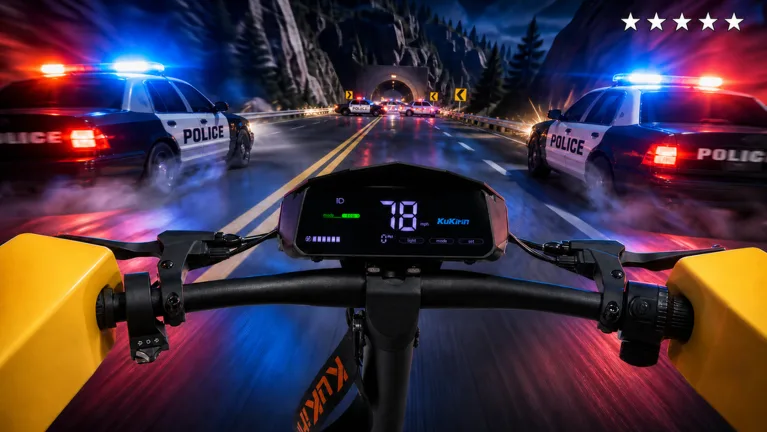
For those looking to add flair to their ride, you can perform stunts. Pressing '1' or '2' will trigger different hand-position animations, which look impressive while cruising. However, be mindful of the game's environment; there are police officers patrolling the streets. Getting involved in police chases can be a high-risk, high-reward activity, potentially increasing your earnings if you manage to evade capture.
Warning
Avoid Scam Scripts: Be wary of players or videos suggesting console commands like "/set speed 100." These are often fake and do not actually boost your vehicle's performance. Stick to legitimate in-game upgrades.
Frequently Asked Questions
Can I customize my scooter for free?
While the customization shop is accessible to everyone, changing specific accents may cost in-game currency. Always check the price display before confirming your changes.
Is it worth buying a house in the game?
Based on community feedback, houses are currently viewed as secondary. Players recommend focusing your budget on scooter upgrades first, as faster vehicles increase your cash-earning efficiency per minute.
How do I get better at wheelies?
Wheelies require practice and timing. Use the 'Shift' key to lift the front wheel and try to maintain a steady speed. If you fall, simply reset your position and try again. It is a key skill for completing specific quest challenges.
For the most up-to-date information and to join the community, you can visit the official Drive A Kukirin Roblox page. Keep in mind that as an early beta game, mechanics like scooter stats and quest rewards may change with future updates. Always verify your stats in the live shop before making a major purchase.