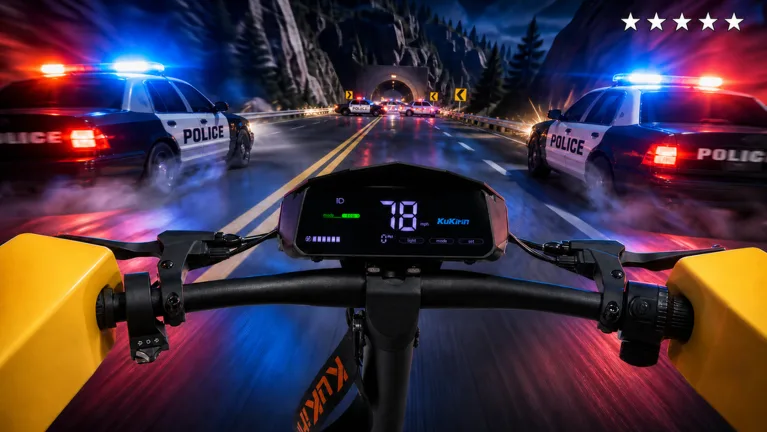
How to Control Your Scooter and Perform Stunts in Drive A Kukirin
Master the scooter physics in Drive A Kukirin. Learn how to handle dynamic lean angles, manage your speed, and complete stunt-based quests effectively.
Published: ( UPDATE) Drive A Kukirin Wiki Editorial Team
Table of Contents
Understanding Scooter Physics in Drive A Kukirin
If you are trying to find a specific key binding to "lean back" on your scooter in Drive A Kukirin, it is important to understand the core design philosophy of this Roblox simulator. Unlike arcade-style racing games that might offer manual stunt buttons, this experience by Gogos Games Studios focuses on a more realistic simulation approach.
The game utilizes a dynamic physics engine that calculates how your scooter reacts to the environment. This includes "dynamic lean angles" during turns, which means your character and the scooter will automatically tilt based on the direction you are steering and the speed at which you are traveling. Because the leaning is tied to the game's physics calculation rather than a manual command, you do not need to press a button to initiate a lean. Instead, you control the lean by manipulating your steering (A and D keys) and your throttle (W key).
Mastering the Controls
To navigate the open world effectively and handle your scooter like a pro, you should familiarize yourself with the standard PC controls. Because the game relies on physics rather than scripted animations for movement, mastering these inputs is the best way to control your vehicle's orientation.
Essential PC Controls
Movement: Use W, A, S, D or the Arrow Keys to accelerate, brake, and steer.
Steering and Leaning: Use A and D to initiate turns. The faster you are moving when you turn, the more pronounced the automatic lean angle will be.
Jump/Exit: Press the Spacebar to dismount or jump.
Camera: Press C to toggle between first-person and third-person views, which can help you see your lean angles more clearly.
Interaction: Use E to interact with the Dealership, the Customization store, or other world objects.
How to Perform Stunts and Wheelies
Many players look for a "lean back" mechanic specifically to perform wheelies or stunts, especially since these actions are often required for daily and weekly quests. In Drive A Kukirin, performing these maneuvers is a matter of physics and momentum rather than a single button press.
To perform a wheelie or a trick, you need to rely on the game's suspension compression system. Here is how you can effectively execute stunts:
Build Momentum: Speed is the primary factor. As you accelerate, the scooter's suspension compresses based on the vehicle's momentum.
Utilize Terrain: Look for uneven surfaces, bumps, or ramps in the open world. Hitting these at a high speed will cause the scooter's physics to react, often lifting the front wheel.
Maintain Balance: Since there is no "lean back" button, you must use the W key to maintain throttle control as you hit a bump. If you let off the throttle too early, the front wheel will drop immediately.
Tip
If you are struggling to complete stunt-based quests, head to the Customization store. Upgrading your suspension and tires can significantly alter how your scooter handles bumps and jumps, making it easier to maintain the airtime or wheelies required for your missions.
Customizing Your Scooter for Better Handling
If you find that your scooter feels too stiff or unstable when you are trying to perform maneuvers, you may need to visit the Customization store. The game allows you to fine-tune your vehicle, which directly impacts its performance and how it interacts with the physics engine.
You can purchase various upgrades using the Cash you earn from driving and completing quests. Focus on these specific components to improve your handling:
Suspension: Upgrading your suspension changes how the scooter absorbs impact. A stiffer or looser suspension will change how the scooter behaves when you hit a bump, which is critical for performing stunts.
Tires/Grips: These affect your traction. Better grip allows for sharper turns and more controlled leaning without sliding out.
Bars and Frames: While these are often aesthetic, some customizations may change the weight distribution and stability of your scooter.
Remember that every purchase in the Customization store costs in-game Cash. There is no alternative currency for these upgrades, so ensure you are completing your daily and weekly missions to keep your bank account healthy.
Frequently Asked Questions
Is there a button to lean back on the scooter?
No, there is no manual "lean back" key in Drive A Kukirin. The game uses a dynamic physics engine that handles leaning automatically during turns based on your speed and steering inputs.
Why can't I perform a wheelie easily?
Performing wheelies relies on the game's physics and suspension compression. If you are having trouble, try upgrading your scooter's suspension at the Customization store and ensure you are hitting bumps at a high speed.
How do I earn Cash faster for customizations?
You can earn Cash by driving at high speeds, completing daily and weekly quests, and successfully evading the police during chases. The higher the difficulty of the police chase, the higher the payout.
What is the difference between the difficulty levels in police chases?
The difficulty levels (Easy, Medium, Hard) determine how fast the police vehicles are and whether they use additional tactics like roadblocks or helicopters. Creating distance from the police is the key to escaping and earning your reward.