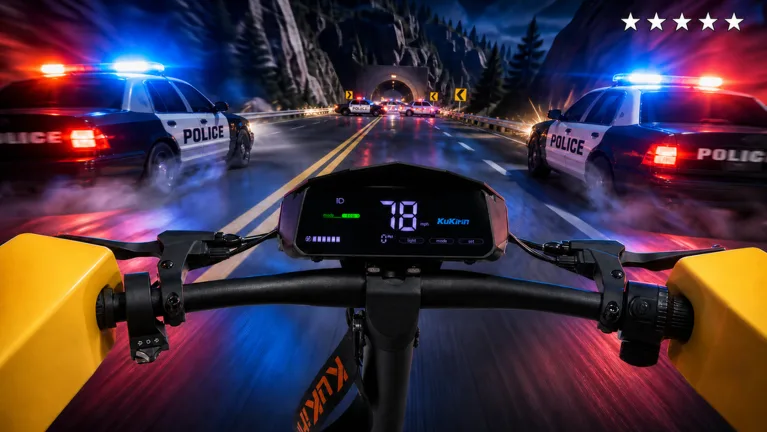
How to Drive a KuKirin Rainbow Wheel in Roblox Electric Scooter Simulator
Discover how to customize and drive a KuKirin with rainbow wheels and special parts in the Roblox electric scooter simulator game.
Published: ( UPDATE) Drive A Kukirin Wiki Editorial Team
Table of Contents
Understanding the KuKirin Electric Scooter Simulator on Roblox
Electric scooter culture has officially entered the Roblox metaverse, capturing the attention of virtual riders who love realistic physics, custom modifications, and open-world cruising. Developed by Gogos Games Studios, (🎃UPDATE) Drive A Kukirin! brings authentic e-scooter mechanics straight to your screen. Whether you are aiming to master skill-based wheelies, explore the map in first-person view, or soup up your ride with eye-catching visual upgrades, the game offers a comprehensive sandbox for two-wheel enthusiasts.
Tip
Before heading out to ride, visit the shop options to check out cosmetic upgrades like the rainbow wheel, rainbow motor, and rainbow smoke to make your electric scooter stand out on the server.
Unlike traditional vehicle driving games on the platform, this simulator leans heavily into real-world micro-mobility trends. The developers drew inspiration from actual high-performance electric scooter brands such as KuKirin, Dualtron, Kaabo, VSETT, Segway, and Xiaomi. Because of this dedication to realism, handling your vehicle requires an understanding of weight distribution, acceleration curves, and precise steering control.
Exploring the Customization Shop: Finding Rainbow Wheels and Parts
One of the most popular goals for players diving into the game is transforming a standard scooter into a rolling light show. Customization plays a massive role in expressing your style while cruising through the open world. According to community catalogs and item release data, the shop offers a wide variety of cosmetic modifications designed to elevate your setup.
Rainbow Wheels and Performance Aesthetics
The shop features specific cosmetic parts such as the Rainbow Wheel, Rainbow Motor, Rainbow UnderGlow, and Rainbow HandleBar. Equipping these items allows you to stand out during night sessions and group meetups across the map.
Getting your hands on these stylistic upgrades involves interacting with the game's in-game currency and purchase menus. While standard scooters like the G3 Pro and G4 Max provide solid baseline performance out of the box, adding aesthetic enhancements turns a simple vehicle into a custom masterpiece. Beyond the rainbow series, players can also invest in utility and fun additions like 2X Cash boosts, funny horns, heavy horns, and specialized grips.
Mastering Realistic Driving Physics and Wheelies
Driving a virtual electric scooter is vastly different from steering a car or a sports bike. The physics engine in the game simulates the agile yet twitchy nature of compact micro-mobility vehicles. To become a skilled rider, you need to master the art of balance and timing, especially when attempting high-risk maneuvers.
Skill-based wheelies represent one of the defining challenges for advanced players. Because the physics account for acceleration and center of gravity, pulling off a sustained wheelie requires feathering the throttle rather than holding it down continuously.
Choose Your Scooter: Select a high-torque model like the Kukirin G4 Max for better acceleration response.
Find an Open Stretch: Head to a flat, uninterrupted stretch of road in the open world to practice without obstacles.
Manage the Throttle: Tap or gently pulse your acceleration while pulling back on your control input to lift the front wheel.
Maintain Balance: Adjust your steering in real-time to keep the scooter from tipping over to either side during the stunt.
Community Insights and Gameplay Tips
Engaging with the active player base reveals several tricks for maximizing both fun and efficiency while exploring the map. According to community reports and experienced players, balancing your time between casual cruising and cash grinding is essential if you want to purchase premium scooters and rare cosmetic parts without relying solely on Robux purchases.
Players often organize spontaneous meetups in open areas to showcase their customized builds. Showing off a fully upgraded scooter featuring rainbow underglow, custom grips, and a rainbow wheel is a status symbol within active servers. Additionally, utilizing the first-person riding perspective offers a more immersive simulator experience, making sharp turns and high-speed runs feel much more intense compared to the default third-person camera angle.
Warning
Be mindful of obstacles and sharp corners when riding at top speeds in first-person view. The realistic physics mean that clipping a curb or barrier can easily halt your momentum or wipe out your combo.
Frequently Asked Questions
How do I get more cash in Drive A Kukirin?
You can earn cash by driving around the open world, participating in gameplay activities, or purchasing gamepasses like the 2X Cash boost from the shop to accelerate your earnings.
Can I change the color of my scooter parts?
Yes, the shop features various cosmetic upgrades including rainbow paint, rainbow motors, and rainbow wheels that let you completely personalize the look of your vehicle.
Who developed Drive A Kukirin?
The game was developed by Gogos Games Studios on the Roblox platform, featuring detailed models like the G3 Pro and G4 Max.