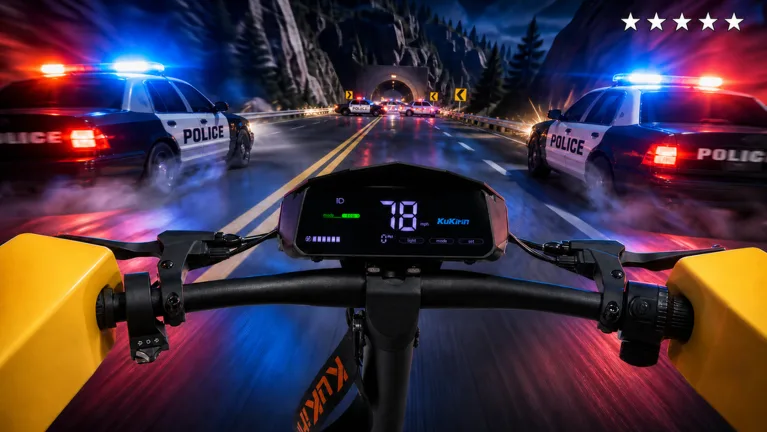
Drive A Kukirin Halloween Update: Everything You Need to Know
Explore the latest Halloween update in Drive A Kukirin on Roblox, featuring the new Pumpkin Night event, exclusive scooters, and gameplay improvements.
Published: ( UPDATE) Drive A Kukirin Wiki Editorial Team
Table of Contents
Exploring the Drive A Kukirin Halloween Update
The latest seasonal content for Drive A Kukirin has arrived, bringing a spooky atmosphere to the Roblox experience developed by Gogos Games Studios. This update, officially titled "(🎃UPDATE) Drive A Kukirin!", introduces a variety of new items and gameplay refinements designed to celebrate the Halloween season. If you are looking to maximize your progress, understanding the scope of these changes is essential.
The core of this update revolves around the "Pumpkin Night Event," a limited-time celebration that offers unique opportunities for players to engage with the game’s mechanics in a fresh way. Whether you are a casual driver or a competitive collector, this update provides specific additions that enhance the overall loop of the game.
Key Features of the Halloween Event
The developers have focused on expanding the customization and trick-performing aspects of the game. Below are the primary additions introduced during this event window:
Pumpkin Night Event: A time-limited thematic event running from October 10th to October 16th.
Halloween Shop: Access a specialized store to purchase event-exclusive gear and items.
New Scooters: Three unique scooter models have been added to the game’s roster.
New Trick: A new maneuver is now available for players to master and perform.
Performance Upgrades: Significant improvements to the mobile interface and general bug fixes.
By participating in the event before it concludes on October 16th, you can secure items that may not be available once the Halloween season ends. The introduction of the new trick also allows for higher score potential, which is vital for those looking to climb the leaderboards.
How to Redeem Codes in Drive A Kukirin
A common question among the community is how to claim the latest promotional codes, especially during update periods when developers often release new rewards. Based on player reports, the process is straightforward but requires navigating the UI correctly.
Locate the "Settings" button on the right side of the screen.
Open the settings menu to reveal the text input box located at the top.
Enter your active codes carefully, as they are case-sensitive.
Confirm your entry to receive the associated rewards instantly.
Always ensure you are using codes from reliable sources to avoid potential issues. Community members often share valid codes on social platforms, but be cautious of claims regarding "free Robux" or other suspicious offers that deviate from standard in-game reward systems.
Improving Your Gameplay Experience
With the "Better Mobile" optimization mentioned in the update patch notes, players on handheld devices should notice smoother controls and a more responsive interface. If you encounter issues, consider checking your graphics settings within the Roblox menu to ensure they match your device's capabilities.
The addition of three new scooters changes the meta slightly, as different models may offer varied handling characteristics. We recommend testing each new scooter in a controlled environment to see which one best suits your driving style. If you are struggling with the new trick, practice it in a low-traffic area of the map until you have the timing down.
Frequently Asked Questions
When does the Halloween event end?
The Pumpkin Night event is scheduled to conclude on Friday, October 16, 2026, at 7:00 PM.
Are the new scooters permanent additions?
While the event is limited, the items added during the update, including the new scooters, are generally kept in the game, though they may be moved to a legacy section of the shop after the event concludes.
Staying active during the event window is the best way to ensure you don't miss out on limited-time cosmetics. Always check the official game links provided to ensure you are playing the authentic version of Drive A Kukirin and not a fan-made clone.